

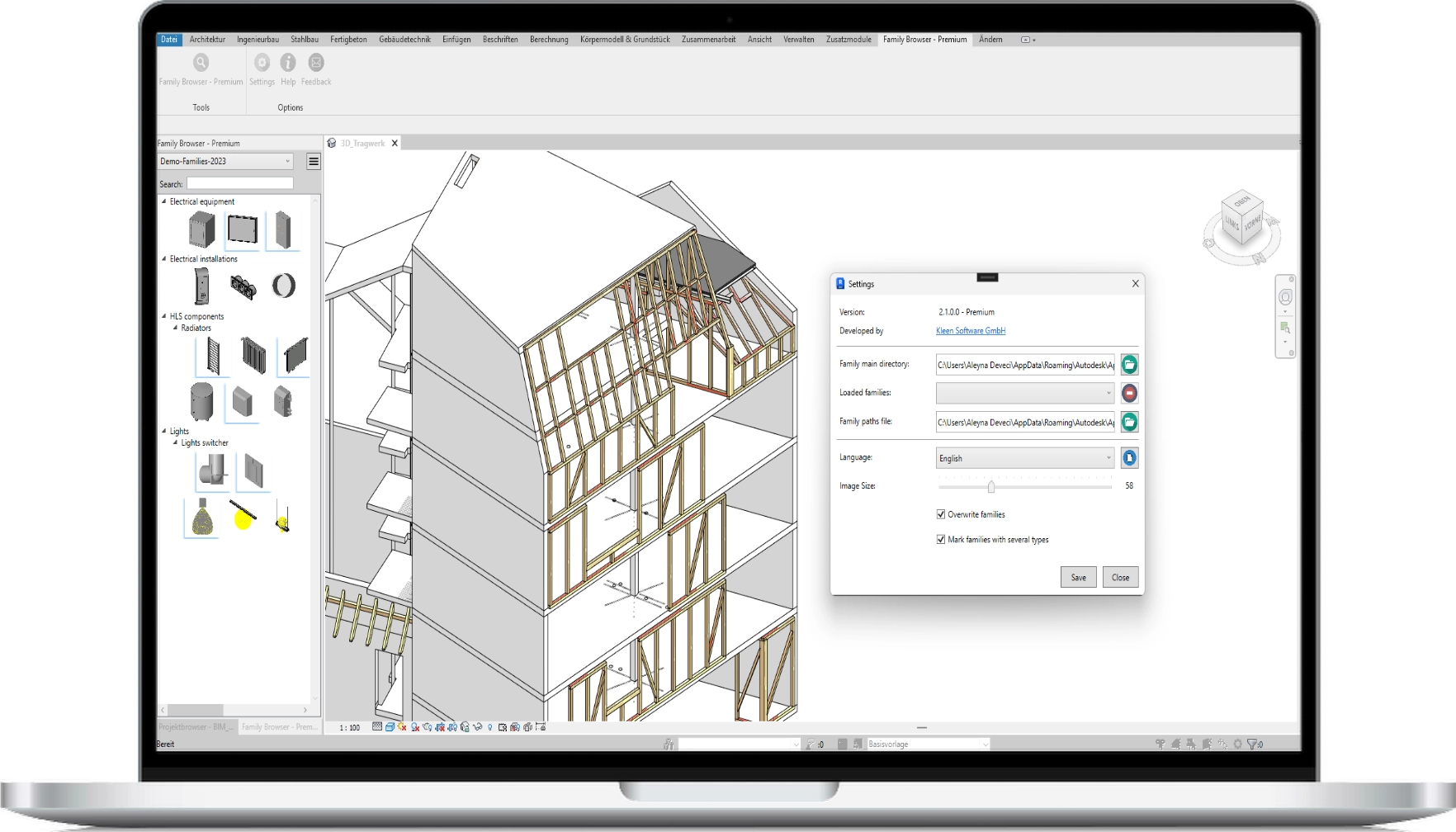

Premium Features

Search function
Find specific families and folders in your library with the new quick and intuitive search function.

Folder hierarchy
Organise your families with recursive folder recognition.
Create hierarchical structures for maximum overview.

Overwriting families
Activate the function to automatically update existing families in the project when changes are made.

Saving the family paths
Use TXT files to manage various libraries or have your directories saved internally.

Marking of families with several types
Families that are displayed in the view and have several types are marked with a blue corner.
This visual highlighting provides a better overview and allows you to recognise at a glance which family variants are available.

Automatic icon generation
Automatically generate suitable icons for your Revit families.
You no longer need to laboriously create icons yourself – leave this entirely to Family Browser and save valuable time.
Video
The right view for every library
List and row view
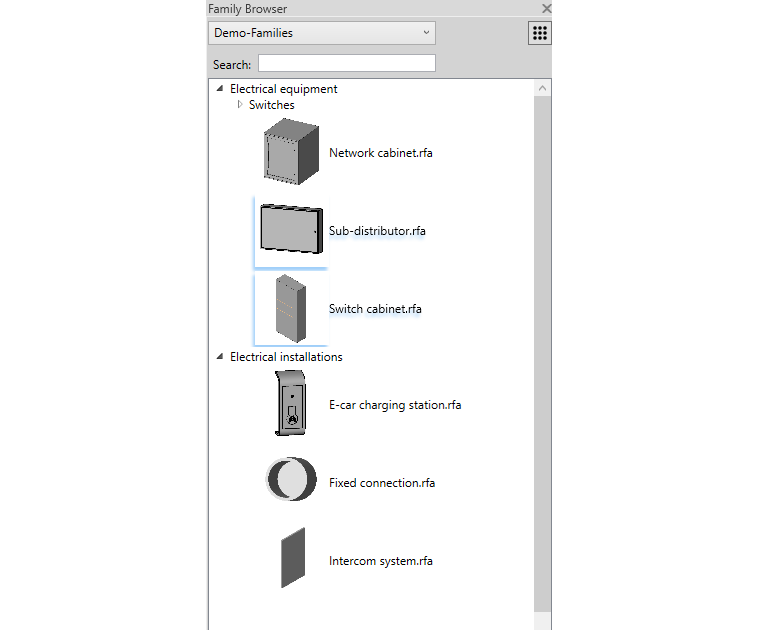
In the new list view, the families are displayed in a structured list with names.
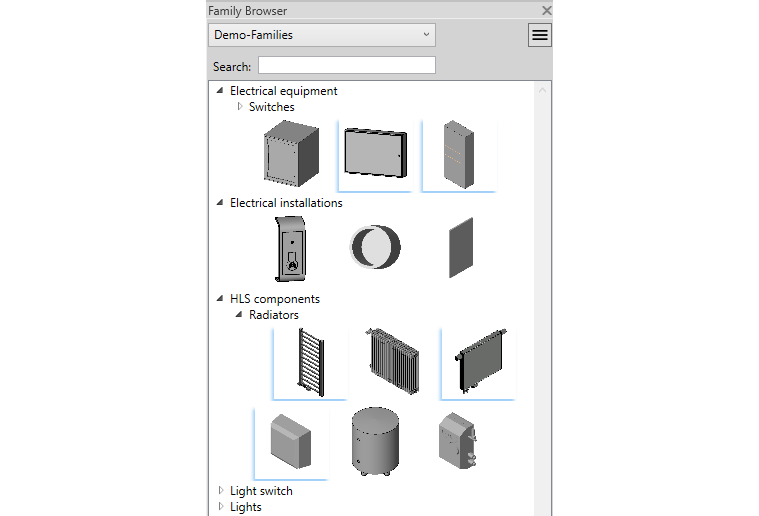
This view provides a much better overview, especially for large libraries. Alternatively, you can use a row view that displays the icons next to each other.
A toggle button at the top right allows you to easily change the display format as required. This allows you to work flexibly and use your favourite view. The free version only has the classic row view.
Intuitive folder structure for efficient searching
Folder hierarchy
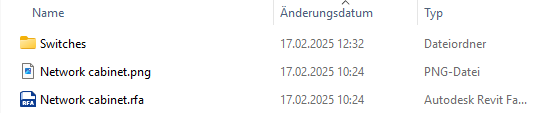
The Family Browser automatically recognises the hierarchy of your main directories and supports the management of subfolders. This allows you not only to save families and icons in individual folders, but also to create subfolders that contain further families. This structure ensures a clear organisation of your library and makes it easier to find the desired content quickly.
The automatic recognition saves you tedious manual sorting.
Effortless visualisation of your library
Automatic icon generation
Save yourself the hassle of manually creating preview images. In the Premium version, Family Browser automatically generates the appropriate icons for your Revit families.
This ensures you always have a visual overview of your library, with absolutely no extra effort required.
Always have the right library to hand
Storing family paths
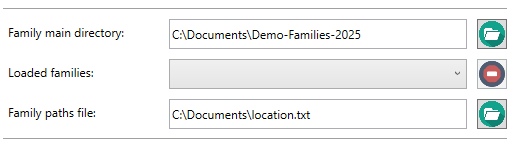
Save your family directories in a TXT file that you can load or switch between at any time. This feature is particularly useful when working with different projects or user profiles. Each TXT file can represent a different library, ensuring you always have the right collection to hand. If you do not use an external file, the Family Browser automatically saves the directories in an internal file. This flexibility gives you full control over your resources.
Ready for use worldwide
Multilingualism
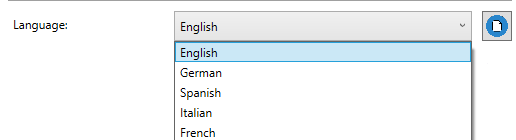
The Family Browser supports multiple languages and allows you to extend the programme with new language files. Simply select the desired language from a drop-down menu. New languages can be added directly to a language file by entering the translations for each column. This feature is ideal for international teams working on projects in different languages. Once the language file has been saved, the new language is applied directly within the programme.
Families always up to date
Overriding families
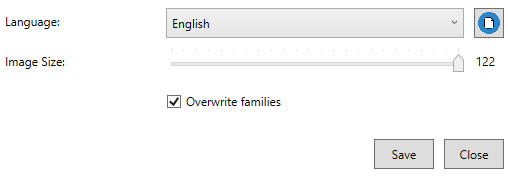
If changes are required to your families, the Family Browser automatically updates all instances of that family that have already been placed in your project. This feature significantly reduces manual effort and ensures that all changes are applied consistently. As long as the ‘Overwrite Families’ option is enabled, the programme checks every placed instance for updates and replaces it if necessary.

Customised programming is our home turf. In specialised sectors such as industry, technology and construction, standard software quickly reaches its limits. Kleen Software GmbH develops customised solutions - precisely tailored to your processes and goals. From consultation to implementation, your wishes take centre stage. Feel free to contact us!
Pricing
Family Browser
FREE
Row view for family management
Max. 4 family subfolders recognisable
Multilingualism supported
Free of charge
Download nowFamily Browser
PREMIUM
All free features, including
Additional list view
Unlimited family subfolders
Storing family paths
Automatic overwriting of families
Automatic icon generation
About us

Kleen Software has been developing CAD and automation solutions, especially for AutoCAD, since 1995 and offers customised products that are tailored to the individual needs of industry, engineering and construction. As an authorised Autodesk developer, our company is the ideal partner for making processes more efficient and driving digitalisation forward.